

Integrating artificial intelligence with an existing system is not simply a matter of adding a chat window. A solution may look up documents, draft replies, classify requests, or suggest actions within an operation. To make it useful without creating new problems, decide what it can do, what information it can use, and which controls apply.
This guide is for planning an integration with a CRM, customer-support platform, internal system, online store, or custom application. The approach is practical: start with a bounded task, test it against real situations, and expand only when there is enough evidence. NIST recommends incorporating risk considerations into the design, development, use, and evaluation of AI systems rather than treating risk review as a final, isolated step.
1. Choose a task, not a technology
Describe the current work in concrete terms. For example: “summarize a request and suggest a category for a person to review.” Avoid vague goals such as “add AI to support” or “automate the whole process.” A specific task makes it possible to compare the new result with the current method.
Before selecting a model or provider, answer these questions:
- Who starts the task, and what information do they provide?
- What result does the user or system need?
- Which errors would be inconvenient, and which could cause harm or loss?
- Does AI only make recommendations, or can it change records and take actions?
- How will the work continue if the answer is uncertain or the tool is unavailable?
If you cannot describe how to recognize an acceptable result, the integration goal is not ready yet. First define observable criteria: correct fields, an answer grounded in authorized information, appropriate handoff, or fewer manual steps without lower quality.
2. Set boundaries for information and permissions
Inventory the sources the solution would need: records, documents, product catalogs, conversation history, or customer data. For each source, note its owner, freshness, access rules, and whether it contains personal, confidential, or regulated information. Do not connect everything for convenience; each data source should serve the task.
Then define permissions using least privilege. If AI only needs to draft a message, it may not need permission to send messages, delete records, or change statuses. Separate read access from write access, and require human confirmation before actions with external effects. Also decide what data will be kept in technical logs and who can view those logs.
Language-model applications face specific risks, including malicious instructions in user input or retrieved content and agents granted excessive authority. The OWASP GenAI LLM Top 10 2026 brings together risks and mitigations for these applications. In practice, treat documents and model responses as inputs requiring controls—not as trusted commands to execute without validation.
3. Design the integration and its limits
Write down the end-to-end flow: which system sends the request, what data is retrieved, which component processes it, where the response appears, and who decides what happens next. Include the boundaries, not just the ideal path.
At a minimum, decide what happens when information is missing, a source is out of date, the model does not respond, the output has the wrong format, or a request is outside scope. A well-designed integration can stop, ask for clarification, return a safe message, or hand off to a person. It should not improvise a high-impact action.
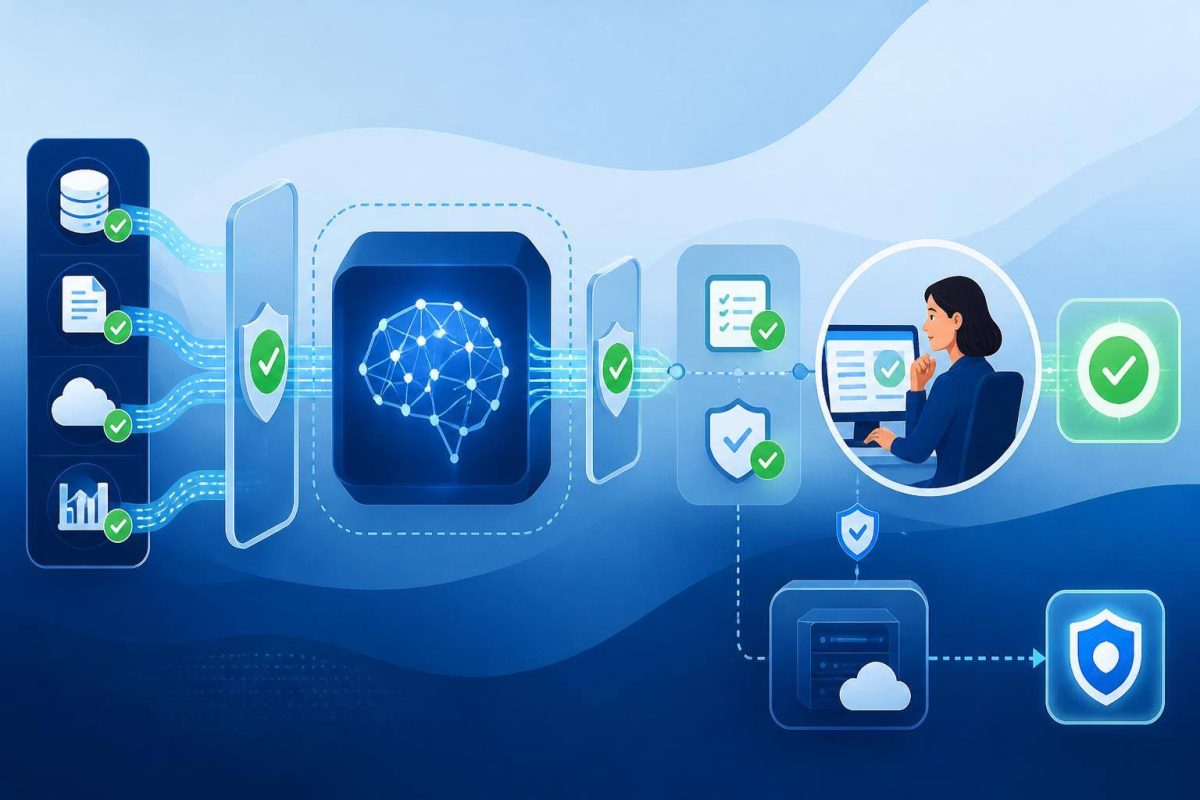
Also decide how the system distinguishes data from instructions, how responses are checked before they reach another system, and which events are logged. Technical implementation depends on the environment; the product requirement is that every action has an owner and a recovery path.
4. Test real cases before enabling automation
Prepare examples that represent normal work as well as difficult cases: incomplete messages, conflicting data, out-of-scope requests, documents containing deceptive instructions, and situations that require escalation. Use authorized or appropriately anonymized data, and define in advance what counts as passing each case.
A useful evaluation asks more than whether the answer “sounds good.” Depending on the task, check:
- Accuracy: Does it match the authorized record or source?
- Completeness: Does it include needed details without inventing missing ones?
- Scope: Does it abstain or hand off when it should not answer?
- Security: Does it respect permissions and avoid exposing inappropriate information?
- Integration: Does the receiving system interpret the format and fields correctly?
- Operations: Is there a manual route when the connection fails?
OpenAI recommends task-specific evaluations, data that resembles real use, a combination of automated checks and human judgment, and ongoing testing as a system changes. Its evaluation best practices offer a methodological reference; the actual criteria must fit your process.
5. Roll out in stages and monitor use
A cautious sequence can start with internal testing, move to suggestions approved by a person, and only then allow limited actions after reviewing results. The first version does not need to be fully autonomous to be useful: a draft that reduces repetitive work can be a sound initial scope.
Before launch, agree on who reviews results, who can stop the integration, which errors require intervention, and how the team using it will be informed. During operation, record relevant failures, user feedback, changes in source data, and behavior shifts. Review data and tool access whenever functions or owners change.
If the system starts failing, there should be a clear way to return to the previous process, disable a feature, or correct affected data. The NIST Generative AI Risk Management Framework profile can help organize governance, evaluation, and responsible-use questions across the system lifecycle.
The most useful integration is not the one that connects the most systems; it is the one that solves a specific task with limited permissions, testable results, and a safe fallback when something fails.
A decision checklist before moving ahead
- The task has a defined goal and an identified owner.
- Data sources are known, and access to each is justified.
- AI has no broader permissions than it needs.
- There are test cases for normal, difficult, and out-of-scope situations.
- Acceptance criteria cover accuracy, security, and technical operation.
- You have decided when a person reviews work and how uncertain cases are escalated.
- There is a way to pause, reverse, or complete the work manually.
If several points remain unanswered, you do not need to abandon the idea. Narrow the scope and resolve those questions before connecting AI to a live operation. If you need to turn a process into an integration, explore Ideasweb’s artificial intelligence solutions and define the scope around the task, data, and controls you need.