
A website redesign can improve communication, content management, and user experience. It can also interrupt inquiries, remove pages that attract visitors, or leave analytics incomplete when the project is treated only as a visual update.
The risk is greater when the website already ranks in search, receives campaign traffic, hosts linked documents, or uses forms connected to sales processes. In those cases, choosing colors should not be the starting point. First, identify which assets must be protected, which problems need to be solved, and how the result will be evaluated.
A safe redesign does not begin by deleting the old website. It begins by understanding the value it produces and the components supporting that value.
1. Define what must improve and what cannot be lost
Record a baseline before designing screens. You do not need to measure everything, but you do need enough information to compare the current website with the redesigned version.
- Primary goal: generating inquiries, presenting services, receiving bookings, attracting applicants, or supporting online procedures.
- Valuable pages: URLs with organic traffic, external links, conversions, or critical information.
- Important actions: submitted forms, contact clicks, downloads, calls, or requests.
- Traffic sources: search engines, advertising, social media, directories, email campaigns, or direct visits.
- Current problems: confusing navigation, difficult editing, slow loading, mobile errors, outdated content, or accessibility barriers.
This review creates a testable scope. “Modernize the website” is ambiguous. “Reduce the steps required to send an inquiry, preserve pages with traffic, and let the team update services” provides actionable direction.
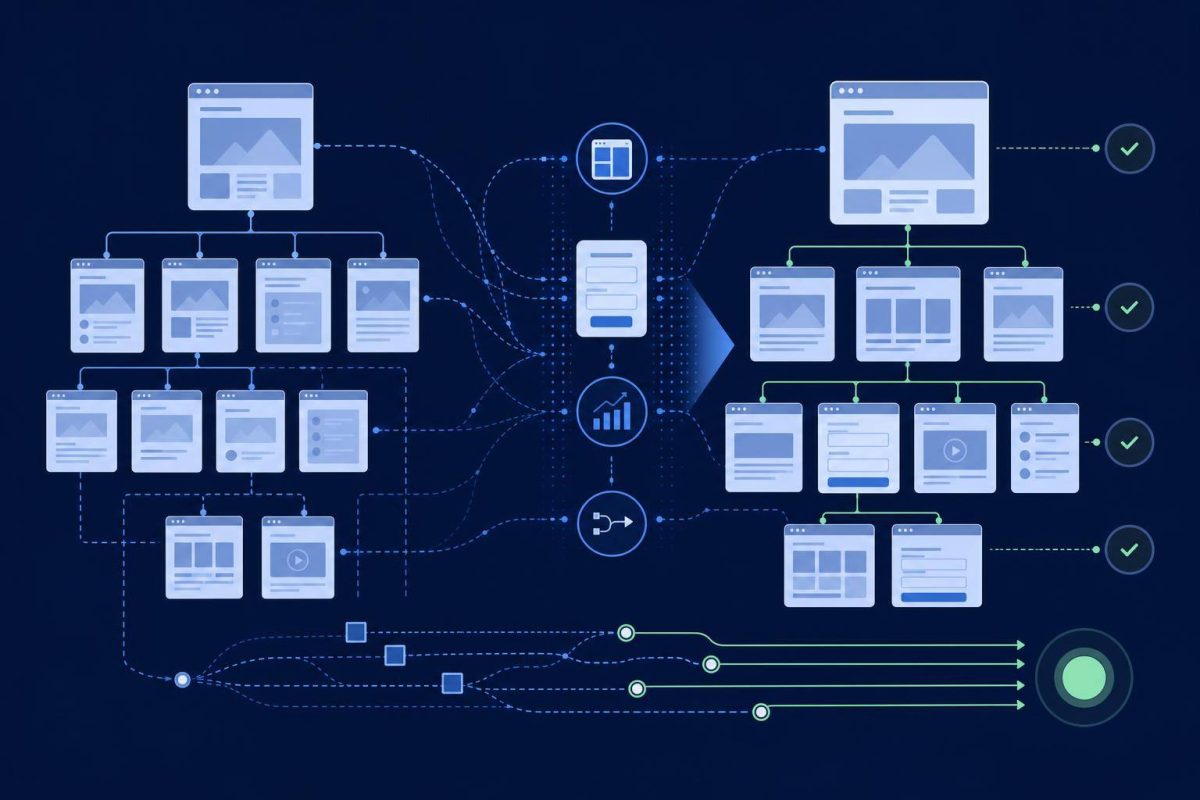
2. Build an inventory before changing content and URLs
Create a spreadsheet of current URLs and classify each one as keep, update, merge, redirect, or remove. Include pages, important images, downloadable files, and destinations used by advertising campaigns.
When an address changes, there must be a logical relationship between the old URL and its new destination. The official Google Search Central site migration guide recommends preparing this mapping, updating internal links, setting permanent server-side redirects, and monitoring traffic after the change.
Do not send every removed page to the homepage
A redirect should lead to equivalent or closely related content. Sending many unrelated pages to the homepage confuses visitors and does not necessarily preserve the intent of the old URLs. If no useful replacement exists, an appropriate not-found response may be better than an invented match.
Protect the less visible components as well
- Search titles and descriptions that remain relevant.
- Canonical tags and, when applicable, alternate language references.
- Structured data that is still valid.
- Verification files for external services.
- Analytics tags, pixels, and event measurement.
- Form, CRM, email, and automation integrations.
3. Test the new website as a system, not a mockup
Visual approval is only one part of quality assurance. Before launch, the new version should work in a staging environment protected from indexing and be reviewed through different devices, browsers, and user journeys.
- Navigation: test menus, search, links, buttons, and error pages.
- Forms: submit realistic tests and verify delivery, validation, messages, and stored records.
- Content: review phone numbers, hours, conditions, owners, downloads, and legal information.
- Technical SEO: validate URLs, titles, descriptions, canonicals, sitemap, and indexing rules.
- Analytics: confirm that visits and important actions reach the correct property.
- Accessibility: test keyboard navigation, visible focus, field labels, image alternatives, hierarchy, and contrast.
- Performance: examine representative pages rather than testing only the homepage.
The W3C Web Accessibility Initiative recommends integrating accessibility throughout production, evaluating early and regularly, assigning responsibilities, and maintaining ongoing monitoring. Leaving it until the final review can turn structural barriers into expensive corrections.
For performance, web.dev defines good Core Web Vitals references as an LCP of up to 2.5 seconds, an INP of up to 200 milliseconds, and a CLS of up to 0.1 at the 75th percentile. These are useful technical references, but you should also observe whether people can read, navigate, and complete tasks without disruption.
4. Prepare a controlled and reversible launch
Choose a lower-activity period and assign owners for content, infrastructure, forms, analytics, and post-launch monitoring. If the project changes the domain, content management system, URL structure, and design, separating major changes when practical makes problems easier to diagnose.
Launch-day checklist
- Create and verify backups of files and data.
- Confirm that a rollback procedure exists.
- Activate and test planned redirects.
- Remove indexing restrictions used only during development.
- Review canonicals, internal links, and the public sitemap.
- Test forms on real devices and connections.
- Check certificates, resources, images, and downloads.
- Monitor visits, events, and server errors in real time.
- Record the launch date and the changes included.
Google Analytics 4 annotations can mark the launch directly in reports. This makes later increases or declines easier to interpret without relying on the team's memory.
5. Evaluate the new version with data and real journeys
Launching does not finish the project. During the first hours, check availability, forms, and critical errors. Over the following days, review indexing, traffic, inquiries, and landing pages. Later, compare equivalent periods while accounting for seasonality, active campaigns, and normal fluctuations.
A practical monitoring schedule can be divided into:
- First day: availability, forms, analytics, errors, and priority redirects.
- First week: crawling, indexing, 404 pages, speed, and mobile behavior.
- First month: organic traffic, business actions, inquiry quality, and pages with meaningful changes.
Not every decline is a technical failure, and not every visual improvement produces better outcomes. Evaluation must be connected to objectives. A website may receive fewer irrelevant visits while generating better inquiries, or load quickly while still failing to explain its offer.
Conclusion: treat the redesign as a continuity project
Before commissioning or starting the project, gather four items: measurable goals, a URL inventory, a list of integrations, and acceptance criteria. This foundation makes it easier to estimate scope, prevent losses, and decide what should be preserved, corrected, or rebuilt.
If you need to renew an existing website with coordinated structure, content, development, and launch planning, review the Ideasweb website plans. The first step should be assessing the current site, not replacing it blindly.